
How LR-x® models a chemical release
Three steps: deploy the model en route, assess the threat zone on arrival, and keep everyone on the incident looking at the same picture. The first model is ready in under 5 minutes. Three forecast models follow, one completing about every 2 minutes.
Deploy, while you're still en route
Imagine getting a call and heading to an incident you know little about beyond the location. Arriving, sizing up the scene, setting up command and gathering current and forecast weather all take time.
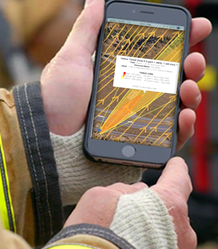
LR-x® can be deployed in less than 60 seconds by selecting the incident location. Type the address (it autocompletes) or drop a pin on the map. The app pulls weather from the nearest public station, so the first 3D wind field and plume model can be running before you arrive.
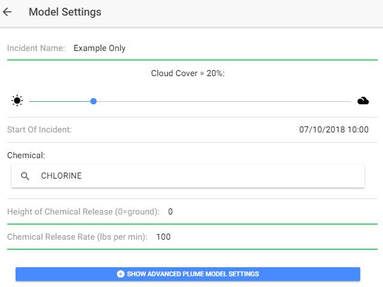
Touch-and-go ALOHA parameters keep input short. In under 5 minutes you can pinpoint the incident, choose parameters and get the initial (current-conditions) model. Three forecast models follow, one completing about every 2 minutes.
Weather: public stations first, your own sensor on scene
Pulling weather from public stations en route gives you an initial wind field and plume model before arrival. Once you set up command on site, tip up a Coastal Environmental Systems WEATHERPAK® and LR-x® syncs to it automatically for incident-specific readings.
Both current and forecast weather feed the 3D wind field and ALOHA models. In 2019 LR-x® adopted IBM / The Weather Company Enhanced Current Conditions and Enhanced Forecast services as its standard weather service.
Mobile or fixed, standalone or cloud
The fixed system suits refineries, high-value sites and stadiums. Mobile versions suit military units, rail and quick-response work.
Assess the threat zone
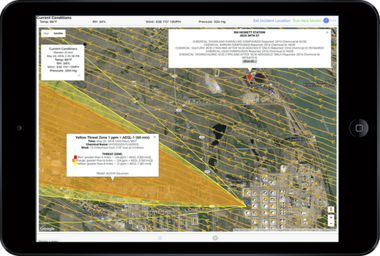
LR-x® works with CAMEO Chemicals, ALOHA and MARPLOT and reads current and forecast weather. It can model any chemical ALOHA can model: over 500 pure chemicals and some common chemical solutions, including hydrogen sulfide and chlorine (NOAA). It draws toxic plumes over road maps, satellite imagery, Google Maps and Google Earth, viewable on a phone or iPad.
Terrain and satellite views and resolution settings are a toggle away. Color-coded wind speeds and streamlines make current and forecast models quick to read.
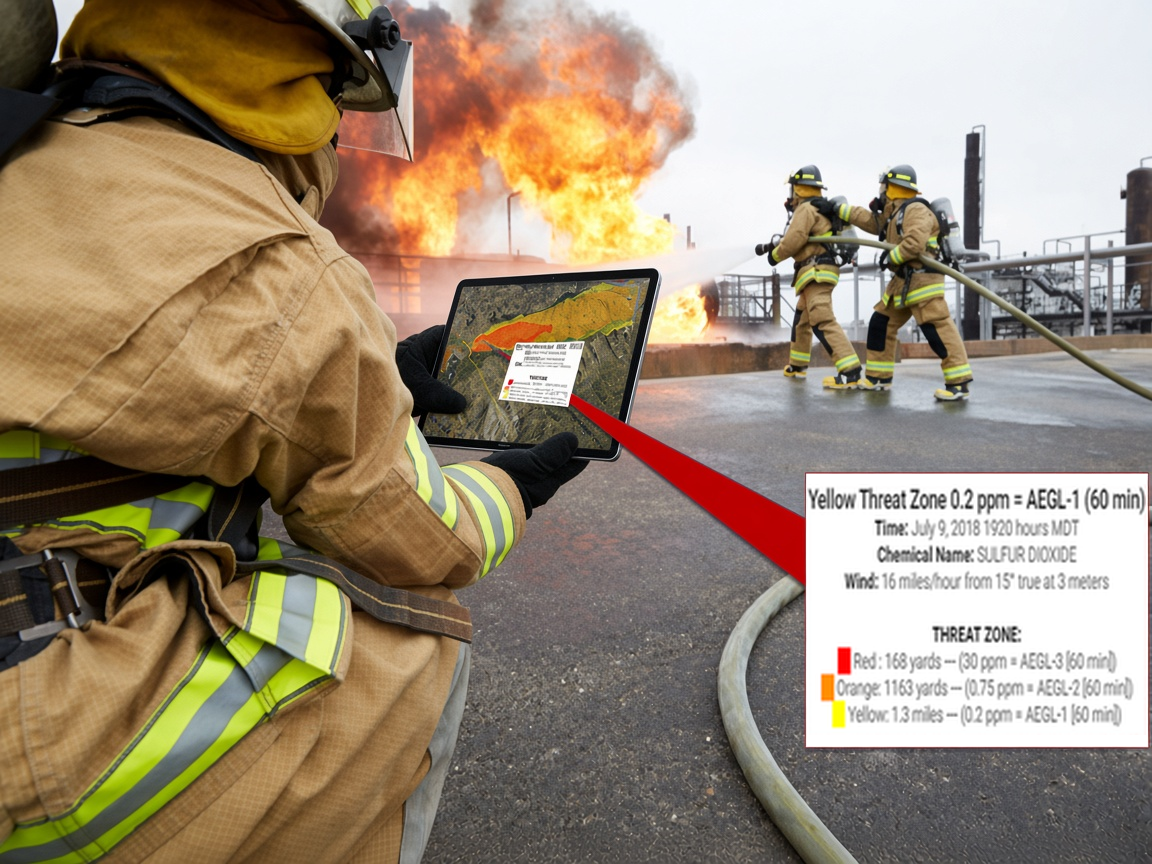
One-tap threat zone details
Tap anywhere in the plume threat zone and the details appear in a plain format:
- Red: health effects that are life-threatening or result in death
- Orange: irreversible, long-lasting adverse effects, or impaired ability to escape
- Yellow: effects that are not disabling and are reversible once exposure ends
Zones are shown as Acute Exposure Guideline Levels (AEGL) in parts per million.
The 3D wind field model
The model behind LR-x® is a proprietary U.S. Army Research Laboratory diagnostic 3D wind field model. In a fixed installation it runs continuously (24/7), giving an airflow picture around the areas you care about most.
Each model run produces two wind field resolutions, 5 meter and 50 meter, plus the ALOHA plume overlay. Terrain comes from USGS 1 arc-second Digital Elevation Models for the entire U.S. and U.S. territories and NASA Shuttle Radar Topography Mission data, covering about 80% of the world (everywhere except the extreme polar regions). LIDAR-scanned topography can be ingested.
Why it matters: a plume model fed one wind reading assumes the same speed and direction everywhere downwind and flat ground underneath. NOAA notes that real wind turns where hills, valleys and buildings turn it. The wind field shows those turns, speed-ups over ridges and eddy currents that concentrate a plume around buildings, which helps pick the safest ingress and egress routes.
Inside the 3D wind field model: inputs, resolution, limits and sources
Tier II facilities on the map
The database covers about 60,000 EPCRA Tier II chemical facilities in the U.S. with address, map location, contact name and contact details, updated monthly. It gives an immediate view of the chemicals a site has reported, and of other potential hazards near your incident.
Communicate one picture
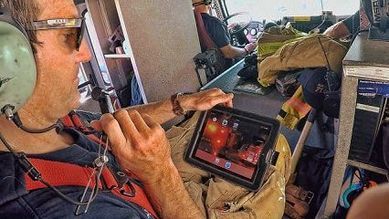
LR-x® connects the platforms you need in one app, reached through a secure website. Everyone on your team sees the same information on whatever device they carry, from an iPhone to a tablet.
Share links let you send police, the Emergency Operations Center and other agencies the incident location, current and forecast threat zones, weather and current traffic flow. They can view it on a phone or tablet without a user ID or app.
Google Maps, ESRI and Open Maps layers are housed in the cloud, so you can locate a point of interest or incident anywhere in the U.S. or U.S. territories.
Works with your GIS: KML export to ArcGIS
LR-x® exports the real-time plume model, the real-time 3D wind field model and the three forecast models as KML files you can use in ArcGIS. Bring the threat zone and the terrain wind field into the same map as your own layers and pre-plans, or open them in other GIS tools that import KML, such as Google Earth.
- Real-time plume model
- Real-time 3D wind field model
- The three forecast models
For viewers who don't use GIS, a share link shows the same model on any phone or tablet without an account.
Model History, training and what-if runs
What-if scenarios for training and planning use the same screens as a live incident. With both minimum Model Settings and Advanced Model Settings, scenarios can be run with specific parameters, including incident name, date and time, location and source.
Every live and training incident is archived in Model History for after-action reporting, and can be found again by incident name or date.
See LR-x® run on a real incident location
We will walk your team through a live model for an address in your response area. Or start a 30-day free trial and run it yourself.